
音楽もサブスクのご時世ですが、私はストリーミングサーバーの Subsonic を設置し、iPhone アプリの iSub で聴くスタイルを愛用しています。長年使っていて特に問題はなかったのですが、最近アートワークの画像に別のアルバムのものが表示されたり、タイトルやアーティストが実際の楽曲と異なるものが表示されたりするようになりました。
Subsonic の管理画面からデータベースを再構築しても改善されなかったため、標準で使われている 組み込みデータベースである HSQLDB から、外部データベースの MariaDB に切り替えて解決を図ってみたところ、泥沼にハマったので記録しておきます。
※サーバー移行に伴う新規インストールなので、HSQLDB から MySQL へのデータ移行の記事ではありません。
環境
サーバー
- RHEL 8
- Subsonic 6.1.6
- MariaDB 10.6
クライアント
- iSub Music Streamer (for iOS)
手順
まずは普通に導入
公式サイトの手順に従って進めていきます。
dnf install java-1.8.0-openjdk
wget https://s3-eu-west-1.amazonaws.com/subsonic-public/download/subsonic-6.1.6.rpm
dnf install --nogpgcheck subsonic-6.1.6.rpm
rm -y subsonic-6.1.6.rpm
4040 ポートが空いていない場合は開けておく。
firewall-cmd --add-port=4040/tcp --zone=public --permanent
firewall-cmd --reload
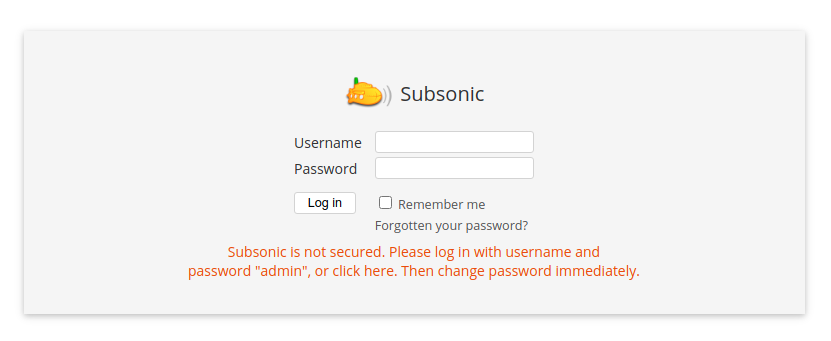
ブラウザで http://サーバー名:4040/ にアクセスしたところ、初期ログイン画面が表示された。
外部データベースを使用するように設定変更
MariaDB に subsonic ユーザーとデータベースを作成
MariaDB [(none)]> CREATE USER 'subsonic'@'localhost';
Query OK, 0 rows affected (0.013 sec)

MariaDB [(none)]> set password for 'subsonic'@'localhost'=password('hogehoge');
Query OK, 0 rows affected (0.002 sec)

MariaDB [(none)]> GRANT USAGE ON *.* TO 'subsonic'@'localhost';
Query OK, 0 rows affected (0.002 sec)

MariaDB [(none)]> CREATE DATABASE IF NOT EXISTS `subsonic`;
Query OK, 1 row affected (0.001 sec)

MariaDB [(none)]> GRANT ALL PRIVILEGES ON `subsonic`.* TO 'subsonic'@'localhost';
Query OK, 0 rows affected (0.008 sec)
/etc/sysconfig/subsonic の起動オプションにデータベースを読み込むよう修正
SUBSONIC_ARGS="--max-memory=150 --db=jdbc:mysql://localhost:3306/subsonic?user=subsonic&password=hogehoge&characterEncoding=UTF-8"Subsonic を再起動
service subsonic restart
(out) Restarting subsonic (via systemctl):                       [  OK  ]
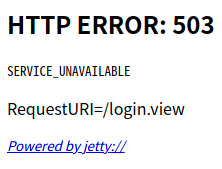
ブラウザでアクセスしたところ、エラー画面になってしまった。
ログを確認
/var/subsonic/subsonic.log を確認するとパスワードが通っていない様子。
[2021-09-23 18:08:09,443] INFO MySqlDaoHelper - Checking database schema.
[2021-09-23 18:08:09,591] INFO MySqlSchema61 - Database table 'version' not found.  Creating it.
[2021-09-23 18:08:09,595] ERROR MySqlDaoHelper - Failed to initialize database.
org.springframework.jdbc.CannotGetJdbcConnectionException: Could not get JDBC Connection; nested exception is org.apache.commons.dbcp.SQLNestedException: Cannot create PoolableConnectionFactory (Access denied for user 'subsonic'@'127.0.0.1' (using password: NO))
        at org.springframework.jdbc.datasource.DataSourceUtils.getConnection(DataSourceUtils.java:82)
        at org.springframework.jdbc.core.JdbcTemplate.execute(JdbcTemplate.java:382)
        at org.springframework.jdbc.core.JdbcTemplate.execute(JdbcTemplate.java:429)

        (略)

Caused by: org.apache.commons.dbcp.SQLNestedException: Cannot create PoolableConnectionFactory (Access denied for user 'subsonic'@'127.0.0.1' (using password: NO))

        (略)
        ... 74 more
Caused by: java.sql.SQLException: Access denied for user 'subsonic'@'127.0.0.1' (using password: NO)
        (略)
接続元のホストが「localhost」ではなく「127.0.0.1」となっていたので、ダメ元で MariaDB でユーザー情報を修正してみる。
MariaDB [(none)]> CREATE USER 'subsonic'@'127.0.0.1';
Query OK, 0 rows affected (0.012 sec)

MariaDB [(none)]> set password for 'subsonic'@'127.0.0.1'=password('hogehoge');
Query OK, 0 rows affected (0.001 sec)

MariaDB [(none)]> GRANT USAGE ON *.* TO 'subsonic'@'127.0.0.1';
Query OK, 0 rows affected (0.001 sec)

MariaDB [(none)]> GRANT ALL PRIVILEGES ON `subsonic`.* TO 'subsonic'@'127.0.0.1';
Query OK, 0 rows affected (0.001 sec)

MariaDB [(none)]> DROP USER 'subsonic'@'localhost';
Query OK, 0 rows affected (0.009 sec)
Subsonic を再起動してもやっぱりエラーになる。
Subsonic のログも先程と同じく「Access denied for user 'subsonic'@'127.0.0.1' (using password: NO)」となっている。
MariaDB の subsonic ユーザーパスワードを空にしてみる
MariaDB [(none)]> set password for subsonic@'127.0.0.1'=password('');
Query OK, 0 rows affected (0.006 sec)

MariaDB [(none)]> flush privileges;
Query OK, 0 rows affected (0.002 sec)
subsonic ユーザーのパスワードを空にしてみたところ接続できるようになった。
[2021-09-23 18:38:26,218] INFO MySqlDaoHelper - Checking database schema.
[2021-09-23 18:38:26,412] INFO MySqlSchema61 - Database table 'version' not found.  Creating it.
[2021-09-23 18:38:26,442] INFO MySqlSchema61 - Database table 'version' was created successfully.
(略)
Subsonic の設定ファイルもパスワード無しに修正
#
# This is the configuration file for the Subsonic service
# (/etc/init.d/subsonic)
#
# To change the startup parameters of Subsonic, modify
# the SUBSONIC_ARGS variable below.
#
# Type "/usr/share/subsonic/subsonic.sh --help" on the command line to read an
# explanation of the different options.
#
# For example, to specify that Subsonic should use port 80 (for http)
# and 443 (for https), and use a Java memory heap size of 200 MB, use
# the following:
#
# SUBSONIC_ARGS="--port=80 --https-port=443 --max-memory=200"

SUBSONIC_ARGS="--max-memory=300 --db=jdbc:mysql://localhost:3306/subsonic?user=subsonic&characterEncoding=UTF-8"


# The user which should run the Subsonic process. Default "root".
# Note that non-root users are by default not allowed to use ports
# below 1024. Also make sure to grant the user write permissions in
# the music directories, otherwise changing album art and tags will fail.

SUBSONIC_USER=hogehoge- SUBSONIC_ARGS からパスワードを項目ごと削除
- メモリを 150 から 300(適当)に変更
- SUBSONIC_USER を root からユーザーに変更
データベース接続がタイムアウトエラー
結論
MariaDB のパスワード無し運用は気持ち悪いが、ホスト制限で内部からしか見れない筈なので良しとしておきます。特に理由がない限りは外部データベースに切り替える必要は無いと感じました。
肝心の iSub 上でアートワークが入れ替わったりする問題は、暫く使って検証します。
その後
この後三ヶ月程使用しました。アーティストや曲名が間違って表示されることは無くなりましたが、アートワークが入れ替わる現象は相変わらず発生しました。
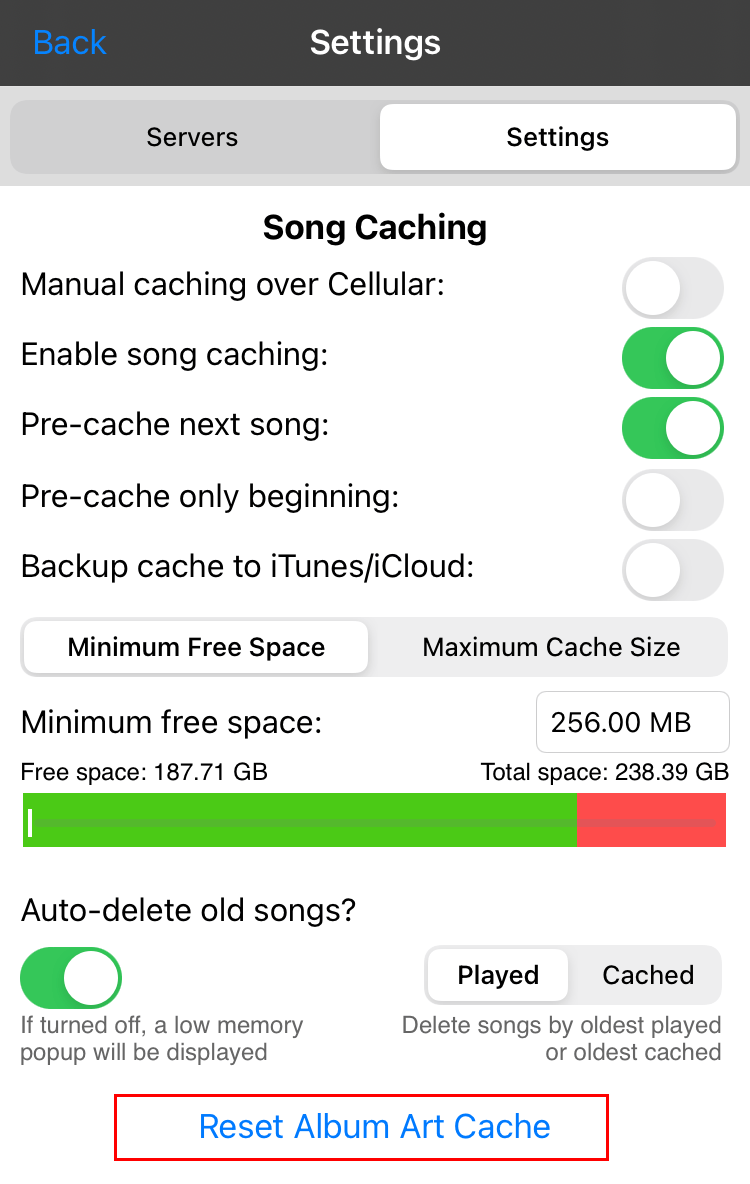
クライアントの iSub 側で App Setting > Settings > Reset Album Art Cache を行えば直るので、対症療法で行くしかなさそうです。
データベース接続がタイムアウトエラーになる
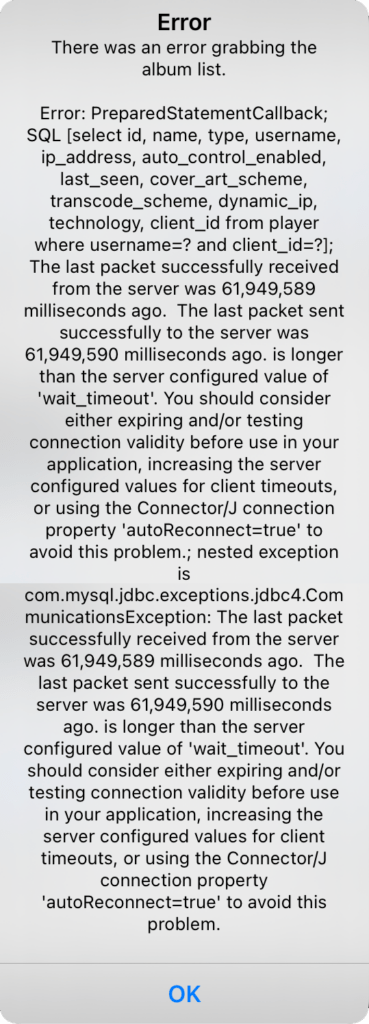
暫くサーバーにアクセスがない状態で iSub から Subsonic サーバーを参照すると下記のエラーが発生するようになりました。
There was an error grabbing the album list.
Error: PreparedStatementCallback; SQL [select id, name, type, username, ip_address, auto_control_enabled, last_seen, cover_art_scheme, transcode_scheme, dynamic_ip, technology, client_id from player where username=? and client_id=?]; The last packet successfully received from the server was 61,949,589 milliseconds ago. The last packet sent successfully to the server was 61,949,590 milliseconds ago. is longer than the server configured value of 'wait_timeout'. You should consider either expiring and/or testing connection validity before use in your application, increasing the server configured values for client timeouts, or using the Connection/J connection priority 'autoReconnect=true' to avoid this problem.; nested exception is com.mysql.jdbc.exceptions.jdbc4.CommunicationsException: The last packet successfully received from the server was 61,949,589 milliseconds ago. The last packet sent successfully to the server was 61,949,589 milliseconds ago. is longer than the server configured value of 'wait_timeout'. You should consider either expiring and/or testing connection validity before use in your application, increasing the server configured values for client timeouts, or using the Connector/J connection property 'autoReconnect=true' to avoid this problem.
Subsonic の設定ファイルを下記のように書き換えるも効果は無かった。
SUBSONIC_ARGS="--max-memory=300 --db=jdbc:mysql://localhost:3306/subsonic?user=subsonic&characterEncoding=UTF-8&autoReconnect=true"やはり外部データベースに変えるメリットは無いと感じました。
参考にしたサイト

コメント